
Google Antigravity: A New Era for Agent-First Software Development
The software development landscape is undergoing one of its most significant shifts in years. Traditional IDEs have steadily evolved—from syntax highlighting to integrated debugging, then to AI-powered suggestions—but Google has taken a much bolder step with the introduction of Antigravity, its new agentic development platform. Now available in public preview, Antigravity aims to redefine not just how developers write code, but how they orchestrate, delegate, and validate entire tasks across an integrated development environment.
Designed as an evolution beyond simple autocomplete or chat-based helpers, Antigravity blends a familiar, high-performance IDE with autonomous, multi-surface AI agents capable of planning and executing complex workflows. For teams looking to increase productivity, reduce context switching, and embrace a future where AI collaborates as a first-class participant in development, Antigravity offers an early look at what that future may feel like.
A Platform Built Around Agents, Not Just Code
At its core, Antigravity is more than an editor. It introduces an agent-first architecture—an environment where AI agents have dedicated space to work, coordinate, and provide verifiable outputs.
The platform divides the experience into two key surfaces:
1. The Editor View
This is the workspace developers will instantly recognize: a fast, clean IDE with AI-powered completions, inline commands, and support for both synchronous workflows and existing habits. Antigravity also supports importing settings from Visual Studio Code, making the transition almost seamless for millions of developers already familiar with VS Code’s ecosystem.
2. The Manager Surface
This is where the paradigm shifts. The Manager Surface allows developers to spawn, orchestrate, and observe multiple agents as they independently work on tasks—sometimes simultaneously, sometimes sequentially, and always with traceable progress. Instead of manually hopping between files, terminals, and browsers, developers can delegate work and supervise at a higher, more strategic level.
This dual-surface approach positions Antigravity as both a familiar coding environment and a control plane for autonomous development.
A New Way to Work: Delegating Tasks to Agents
One of Antigravity’s most compelling strengths is its ability to handle multi-step workflows that traditionally require constant human intervention. These workflows commonly span multiple tools, windows, and mental contexts. With Antigravity, many of these can be handed off entirely to an agent.
End-to-end feature development
An agent can plan a new feature, write the required code, open a local terminal to run the application, and then test the results through an integrated browser—all without the developer having to switch screens or manually trigger each step.
Rapid UI iteration
Design changes can be requested at a higher level (“Move this element,” “Redesign the layout,” “Add a new user card section”). The agent then modifies the codebase and returns Artifacts such as screenshots or walkthroughs for review.
Background maintenance and bug fixing
Long-running or tedious tasks—like reproducing bugs, generating test cases, or refactoring older components—can be delegated to background agents. Developers can continue their primary work while monitoring progress asynchronously through the Manager Surface.
This “task-oriented, not line-oriented” approach frees developers to focus on decisions, architecture, and reviews rather than mechanical coordination.
Artifacts: Verifying Work with Clarity and Confidence
A central challenge with autonomous agents is trust. Reviewing raw logs or tool calls is time-consuming and often unhelpful. Antigravity addresses this with Artifacts—structured, human-friendly outputs designed for quick verification. Artifacts can include:
Task plans
Implementation steps
Screenshots and browser recordings
Code diffs
Summary notes or explanations
Developers can comment on any Artifact, request changes, or approve them, allowing for a fluid collaboration flow similar to document editing. Importantly, this review layer means developers stay in control without micromanaging every action.
Model Flexibility and High Performance
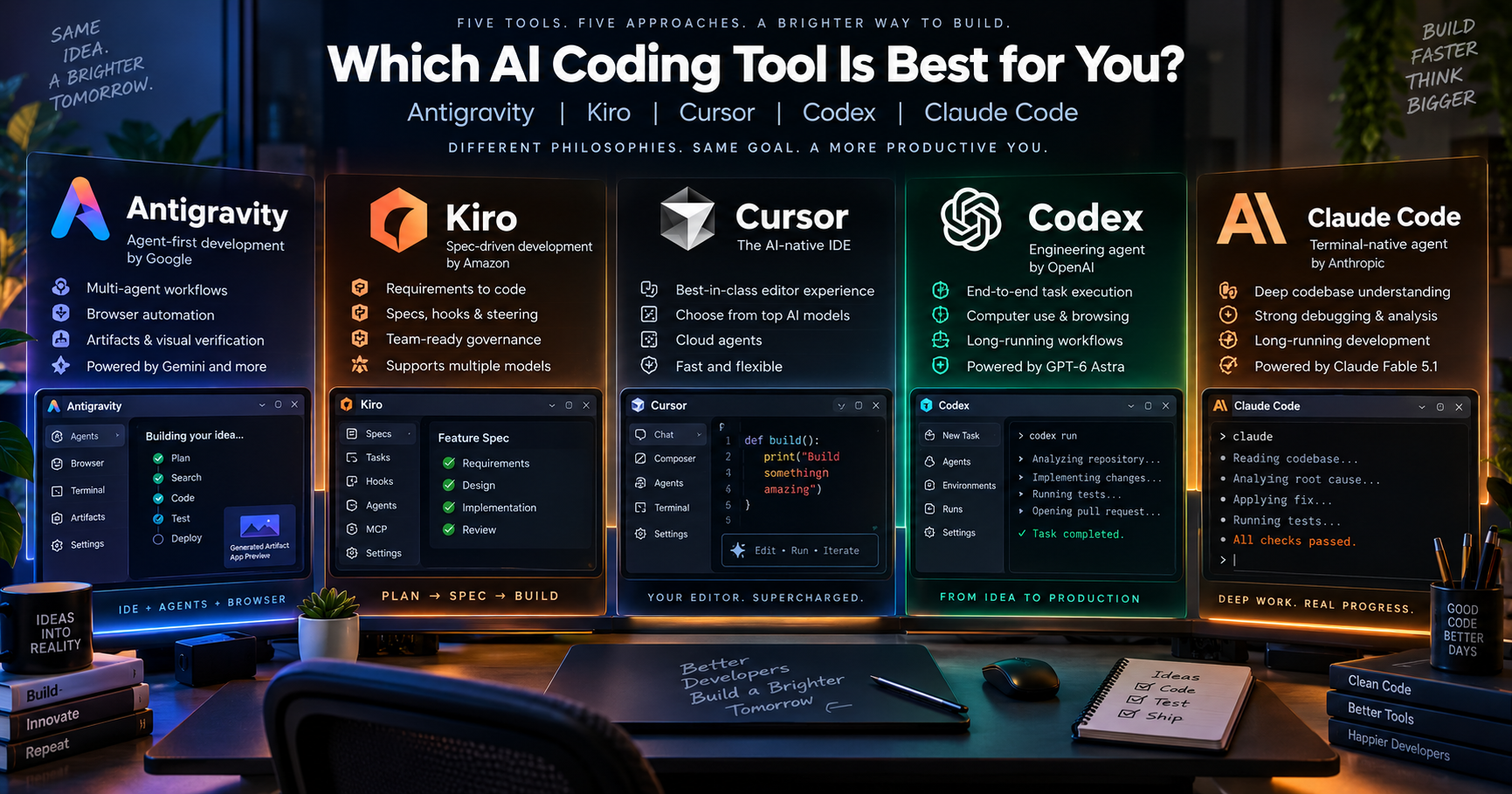
Antigravity is optimized for Google’s Gemini 3 Pro, but it doesn’t lock users into a single model. It provides model optionality, supporting a range of powerful LLMs, including popular third-party options. This flexibility allows teams to choose models that best suit their domain, compliance needs, or cost preferences.
The platform is available on macOS, Windows, and Linux, with smooth performance and generous usage limits during the public preview period.
First Impressions: Smooth Setup, Familiar Feel
The onboarding experience is straightforward. Antigravity lets users choose a theme upfront—a small but thoughtful touch, considering most developers rarely change themes later. It also scans the project and initializes the workspace quickly, delivering a familiar layout with panels for files, terminal, and agent activity.
Because it inherits many of the ergonomics of Visual Studio Code, developers don’t need to relearn basic workflows. The learning curve comes not from the editor itself, but from the new agent-oriented mindset Antigravity encourages.
Why Antigravity Matters for the Future
Developer tools have long been focused on efficiency—writing code faster, debugging quicker, navigating files smartly. But modern software development increasingly demands something more: the ability to coordinate complex tasks, switch between environments effortlessly, and maintain clarity across expanding codebases.
Antigravity’s agent-first philosophy represents a natural next step. It shifts developers into roles that emphasize strategy over mechanics, oversight over repetition, and creative problem-solving over busywork. It also opens the door to parallel workflows—where agents pursue multiple tasks independently, similar to specialized teammates.
This isn’t just incremental improvement; it’s a meaningful evolution toward collaborative, orchestrated development.
Conclusion
Google Antigravity is still early, but it arrives with a strong vision: an IDE that doesn’t just assist developers but actively collaborates with them. With autonomous agents, Artifact-based verification, model flexibility, and a familiar coding environment, it introduces a compelling direction for the next decade of software engineering.
For teams exploring more productive, efficient, and experiment-friendly development workflows, Antigravity may become a foundation for building faster, working smarter, and embracing AI as a true partner in the craft of software development.
Comments
Join the discussionNo comments yet. Be the first to comment.